GNOME 51 released with passkey login and smoother UX
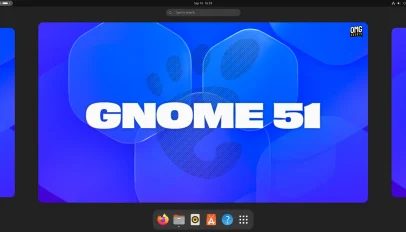
The release of GNOME 51 feels less like a seismic shift in the desktop landscape and more like a quiet, essential tuning of the instrument we have grown to rely on. For years, the community has waited for a complete architectural overhaul, perhaps a port to GTK4 that would finally decouple the interface from its aging rendering engine. While those grand ambitions remain just out of reach for now, GNOME 51 delivers something arguably more valuable: a refinement of the user experience that makes the daily grind of computing feel a little bit more fluid and humane. It is a reminder that sometimes, the most profound improvements are not found in rewriting the codebase from scratch, but in meticulously polishing the edges of what already exists.
One of the most significant technical strides in this release is the integration of FIDO2 passkey authentication. This is not merely a security patch; it is a philosophical move away from the fragile ecosystem of passwords. In an age where data breaches are the norm and password managers are becoming complex burdens for the average user, passkeys offer a seamless bridge between identity and convenience. By allowing users to authenticate via their device's biometric sensors or a trusted security key, GNOME is finally giving the desktop environment the same level of modern security that mobile operating systems have long enjoyed. It transforms the login process from a hurdle into a frictionless moment of entry.
Beyond security, the visual and interactive layer of the desktop has received a much-needed upgrade in its treatment of motion. The introduction of the "Reduced Motion" option acknowledges a reality often ignored in tech circles: not everyone has the visual acuity or neurological bandwidth to process constant, fluid animations. By allowing users to strip away these visual effects, GNOME validates the need for accessibility without sacrificing the experience for those who enjoy it. Coupled with subtle frame scheduling changes, the result is a UI that feels less jittery and more deliberate, where scrolling through a folder or watching a window slide open feels natural rather than chaotic.
The core applications have also shed some of their accumulated baggage. The Maps application, a critical tool for travelers, now supports offline area downloads and live transit data, bridging the gap between the convenience of mobile maps and the stability of a desktop interface. Similarly, the Papers app has gained the ability to add visual signatures, a small but significant step toward making digital document management feel as personal and authentic as pen-and-paper workflows. These aren't just feature additions; they are quality-of-life enhancements that respect the user's time and specific use cases.
However, it would be dishonest to characterize this release as a triumph of total inclusion. There is a palpable sense of "almost" in GNOME 51. Planned features like a GTK4 port of the Disks application and a dedicated slider to adjust touchpad scroll speed slipped through the cracks. These omissions leave a lingering feeling of unfinished business for the community, which has been hungry for these specific changes for some time. Yet, one must resist the urge to view the release through the lens of what was missing. The work done on passkeys, accessibility, and performance optimization provides a solid foundation upon which future, more ambitious features can eventually be built.
In the end, GNOME 51 serves as a testament to the iterative nature of open-source development. It is a release that prioritizes stability and accessibility over flashy, disruptive changes, offering a desktop environment that works quietly and efficiently for the millions of users who depend on it. While the dream of a completely new architecture still looms on the horizon, the current iteration proves that GNOME has no need to reinvent the wheel to make the ride smoother; it just needs to keep driving forward with care and attention to the details that truly matter to the human experience of computing.
On Bluesky? Meet HomeSky.
Follower analytics, a growth toolkit, scheduling and AI posting — built for Bluesky. Connect your account and use everything free for 60 days.
Try HomeSky free →